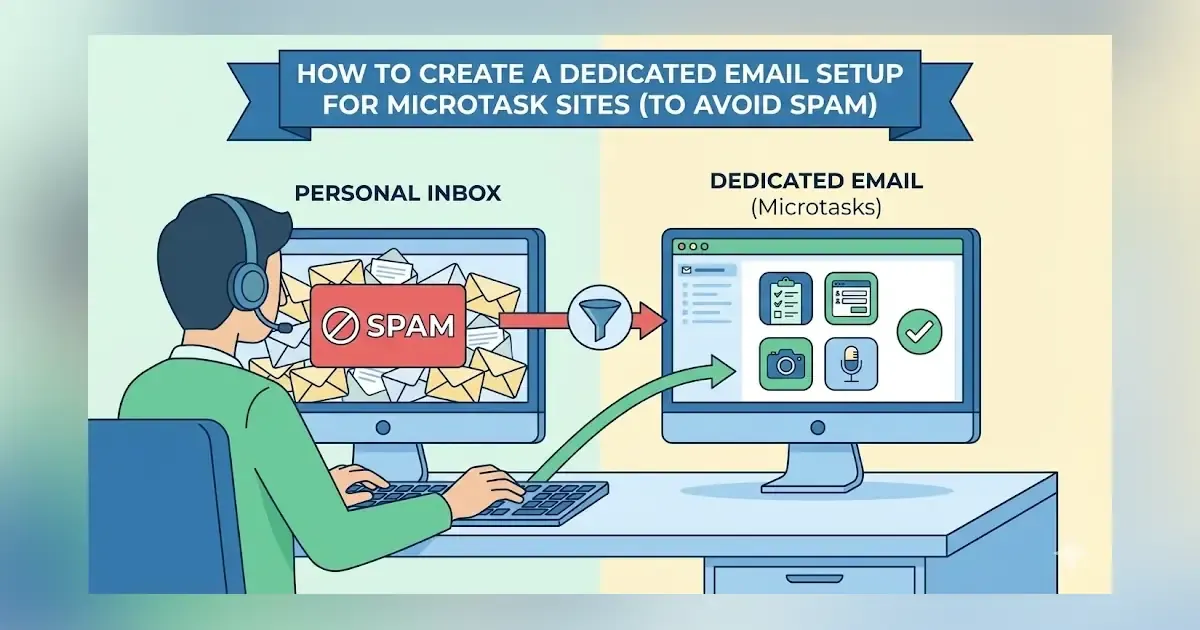
If you’re earning money from microtasks, surveys, data labeling, or small online tasks, you’ve probably noticed one common problem: email overload.
Microtask platforms send:
- survey invitations
- payout confirmations
- account alerts
- bonus offers
- marketing messages
- promotional emails
If all of this gets mixed with your personal inbox, you’ll quickly lose important opportunities — especially time-sensitive surveys that disappear in minutes.
A clean, dedicated email setup not only stops spam but also helps you earn more consistently, improve your approval rate, and respond faster to high-paying survey invitations.
This guide shows you how to build a simple yet highly effective email system for microtask work in 2025.
Many microtask earners prefer doing tasks directly from their phones, and having a clean email setup makes it easier to respond quickly to time-sensitive task invitations. If you’re optimizing your mobile workflow, you may also find this guide on building a reliable daily microtask routine using only a smartphone helpful.
Why You Need a Dedicated Email for Microtask Sites
Using your main email for survey apps causes:
- clutter
- lost invitations
- missed high-paying surveys
- slow response times
- disorganized payouts
- lower productivity
- lower approval rate due to late responses
A dedicated email setup ensures your microtask workflow stays:
✔ clean
✔ fast
✔ organized
✔ efficient
✔ spam-free
Step 1: Create a New Email Account Only for Microtasks
You can use:
- Gmail (most recommended)
- Outlook
- Yahoo Mail
- ProtonMail (for privacy)
Choose a professional, easy-to-remember format:
- yourname.tasks@
- yourname.surveys@
- yourname.onlinework@
Why Gmail is recommended:
- powerful filters
- labels & color coding
- automatic sorting
- promotions folder
- mobile notifications
- easy syncing with all microtask apps
Step 2: Organize With Labels and Folders
Labels help you instantly find:
- payout confirmations
- survey invites
- high-paying offers
- account updates
- bonuses & streak rewards
Suggested label structure:
Primary Labels
- Survey Invites
- Microtasks & AI Tasks
- Payout Receipts
- Account Alerts
- Bonus Offers
Platform-Specific Labels
Create labels for each app:
- AttaPoll
- Prolific
- Toloka
- Swagbucks
- Branded Surveys
- Pawns App
- Clickworker
- Premise
This is extremely helpful when tracking which apps pay the most.
Step 3: Turn On Priority Notifications for High-Value Emails
Some survey emails expire within minutes especially high-paying ones.
Make sure you enable:
- Gmail Priority Inbox
- Notification alerts for the main label
- Filters that mark certain apps as “Important”
Apps you should always mark “Important”:
- Prolific
- AttaPoll
- Toloka
- Premise
- Clickworker
These apps send rare but valuable tasks that pay significantly more.
Step 4: Use Filters to Automatically Sort Incoming Emails
Filters are the backbone of a clutter-free microtask inbox.
Example filter setup:
1. Survey invites → Survey Invites label
If email contains:
- “new survey”
- “available study”
- “you qualify”
- “survey opportunity”
Auto-label & mark as unread.
2. Payment confirmations → Payouts label
Look for:
- “payment processed”
- “payout sent”
- “you’ve been paid”
- “reward redeemed”
3. Bonus offers → Bonus label
Look for:
- “bonus”
- “streak reward”
- “extra points”
- “special offer”
4. App-specific filters
For example:
Emails from @attapoll.com → AttaPoll label
Emails from @prolific.com → Prolific label
Your inbox becomes fully automated.
Step 5: Create a Backup Email for Account Recovery
Losing access to your microtask email = losing your earnings.
Always add a backup email (secondary email) for:
- password resets
- Google 2FA
- account recovery
- app login issues
You can use your main personal email for this purpose.
Step 6: Sync Your Dedicated Email With Your Smartphone
Since you’ll receive most time-sensitive surveys on your phone, sync your microtask email with:
- Gmail app
- Outlook app
- built-in Mail app (Android/iOS)
Enable:
- banner alerts
- sound notifications
- vibration alerts
- high-priority pop-ups
This ensures you never miss valuable survey opportunities.
Step 7: Use Aliases to Separate Different Task Types (Optional)
Gmail allows aliases using:
- the “+” method (yourname+surveys@gmail.com)
- dots (your.name@gmail.com is the same as yourname@gmail.com)
You can register different aliases on different platforms while all emails still go to one inbox.
Examples:
- yourname+surveys@gmail.com
- yourname+ai@gmail.com
- yourname+datatasks@gmail.com
- yourname+rewards@gmail.com
This helps identify which type of tasks generate the highest income.
Step 8: Set Up Weekly Inbox Maintenance
Once per week, do a quick clean-up:
- delete unnecessary promotional emails
- check for expired survey invites
- review unpaid earnings
- check payout receipts
- organize or archive old messages
A clean inbox = higher productivity and better earning consistency.
How a Dedicated Email Setup Helps You Earn More
This setup improves your earnings because:
✔ You respond faster to new surveys
Faster response = higher qualification rate.
✔ You never lose payout confirmations
Helpful for tracking earnings across multiple apps.
✔ You stay organized and save time
Less searching = more doing tasks.
✔ You avoid spam & clutter
Reduces the chance of missing high-paying invites.
✔ You boost your overall workflow
A well-structured inbox increases consistency is the key to earning daily income.
Keeping a dedicated inbox becomes even more important when you work across several platforms at once. To improve your overall workflow, consider reading a detailed breakdown on how beginners can manage and maximize earnings across multiple microtask apps.
Example Daily Workflow With a Dedicated Email Inbox
Morning:
Check new survey invites and complete high-paying tasks.
Afternoon:
Check quick tasks from Toloka, Clickworker, or Premise.
Evening:
Review payouts, bonus emails, and streak opportunities.
With an organized inbox, this whole process takes 5–10 minutes per day.
Is a Dedicated Microtask Email Required?
Not required, but highly recommended.
Users who create a dedicated email setup report:
- fewer missed surveys
- faster payout tracking
- higher approval rates
- less stress
- more consistent earnings
If you want to treat microtasking like a real side income, professional email structure matters.